
Records
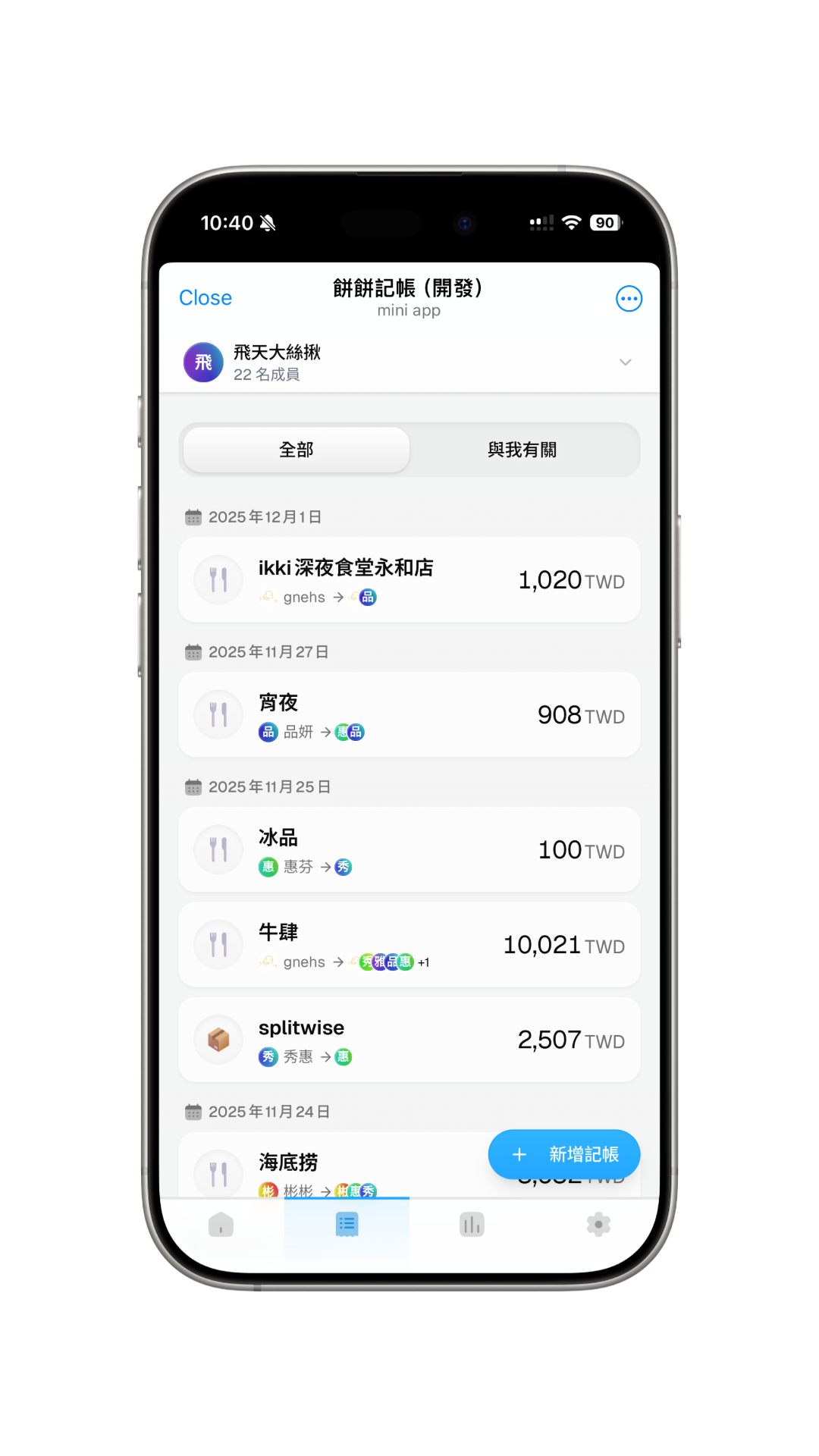
You can add, view, and manage all expense records within the group on the records page.
Add Record
Click the floating "Add Record" button in the bottom right corner to start adding an expense record.
View and Manage Records
On the records page, you can see a list of all expense records. Click on any record to view details, and perform edit or delete operations.
Record details show:
- Title, category, date, and payer
- Original record amount
- Booked amount and currency when exchange conversion is involved
- Split members, payments, items, and participants for each item
Click the exchange-related section to view more conversion details.
View My Records
You can use the tabs at the top to switch between viewing "All Records" or "My Records" to easily filter expense records related to you.
Filter Records
Use the filter button to narrow the list by category, participant, and date range. After applying filters, the records page only shows matching items. If there are no matches, use the reset button to clear the filters.