
Home
Home
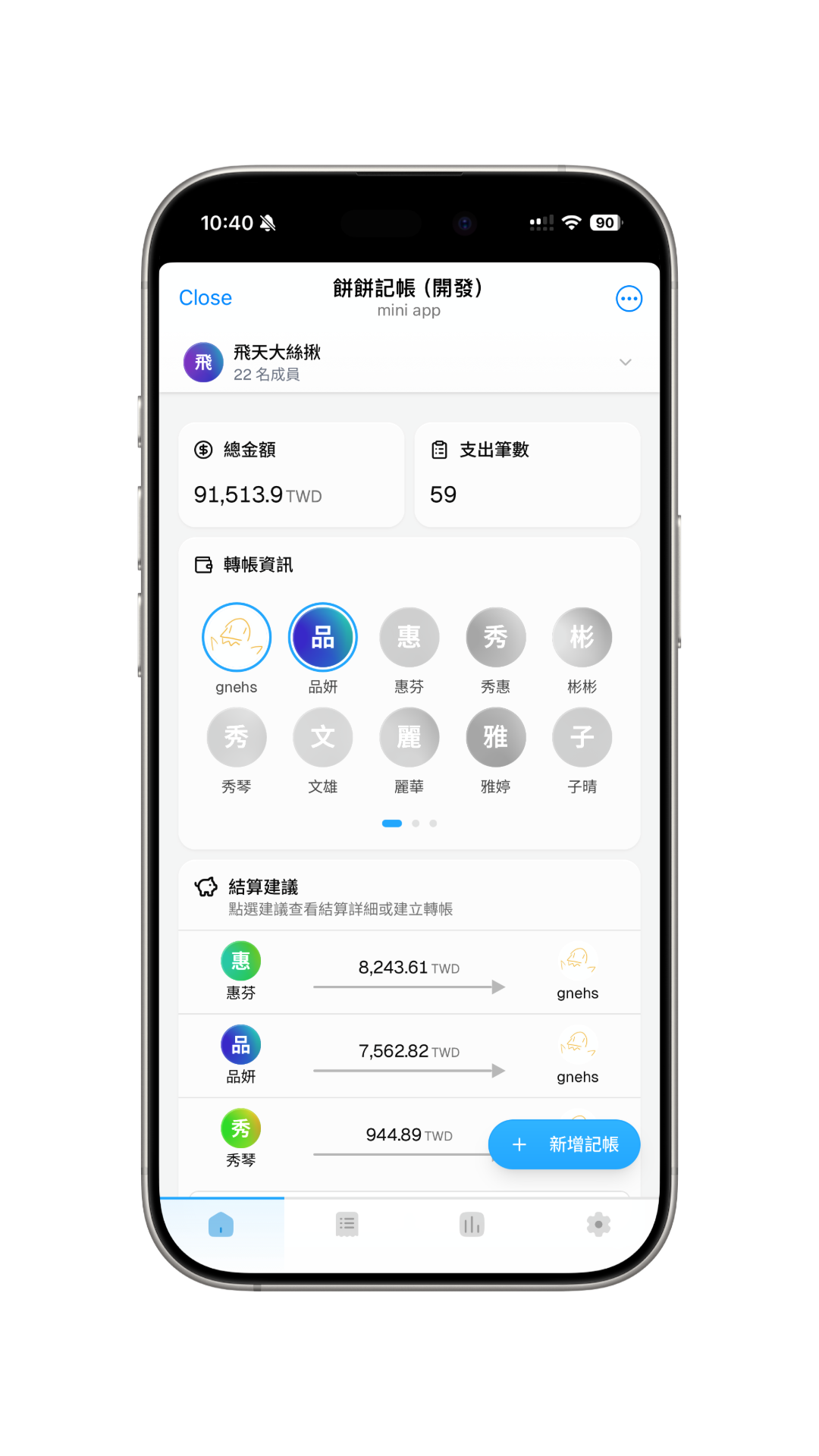
You can see the group's overall information on the home page, including statistics cards, transfer information, and settlement suggestions.
Statistics Cards
View information such as total amount and total number of entries.
Transfer Info
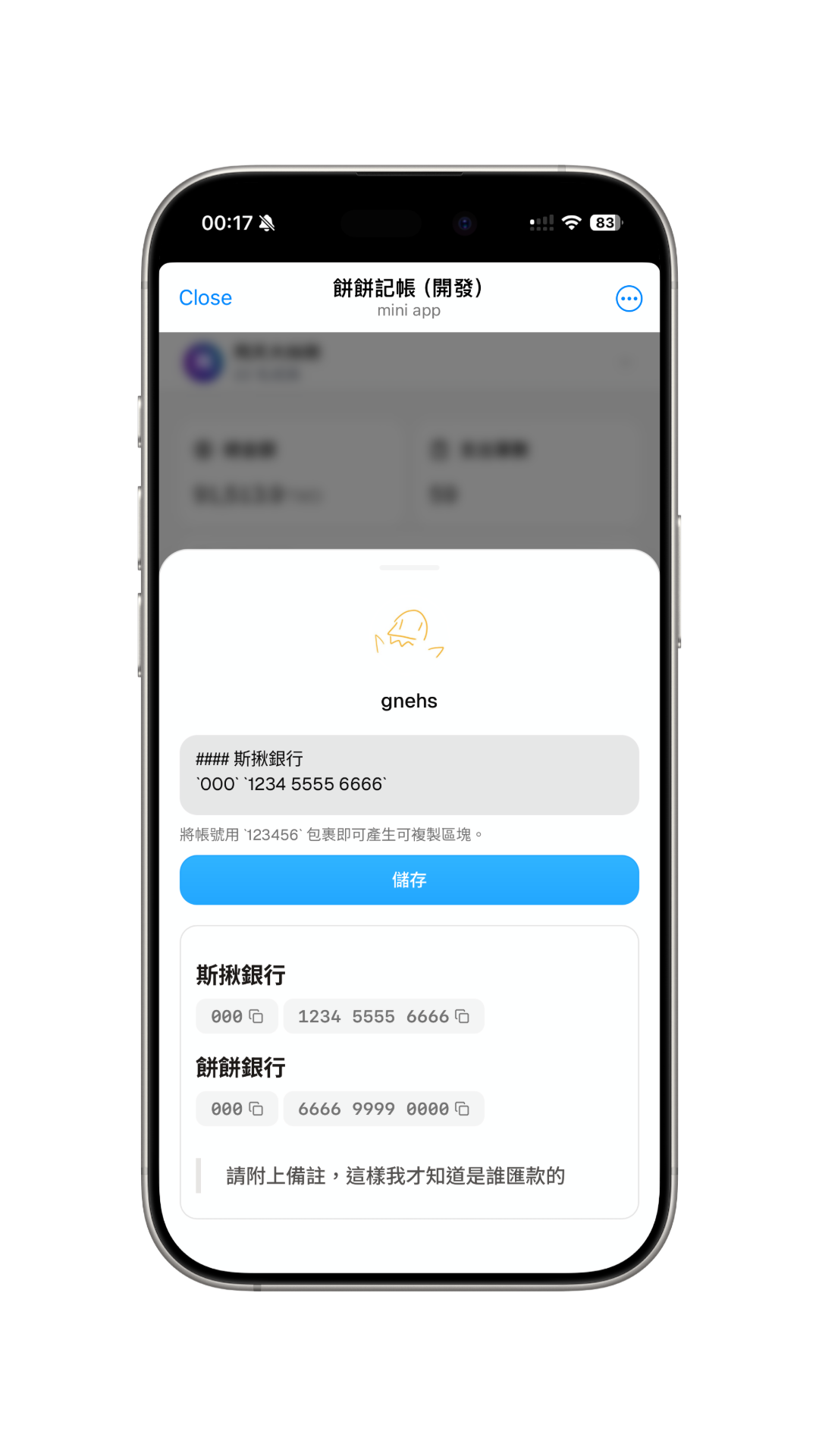
You can use this feature to save your transfer information for other members to see; you can also view others' transfer information. Transfer info is shown as cards, and you can open a member's details by clicking their avatar.
- Click on your own avatar to view or edit your transfer information.
- Click on other members' avatars to view their transfer information.
- Members who have transfer info are highlighted with a visible avatar ring.
Edit My Transfer Info
You can add multiple transfer info cards and mix different card types:
- Taiwan bank account: Select a bank, enter the account number and account name, then quickly copy the account number or show a scannable transfer QR code when viewing it.
- QR code: Useful for payment links or mobile payment QR code content.
- Markdown: Useful for other payment methods, notes, or international transfer instructions.
If you upload a QR image, it is only used to detect the QR code content and fill the form. The image itself is not saved.
Transfer information is only visible to group members. Only enter payment details that you are willing to share with the group.
Settlement Suggestions
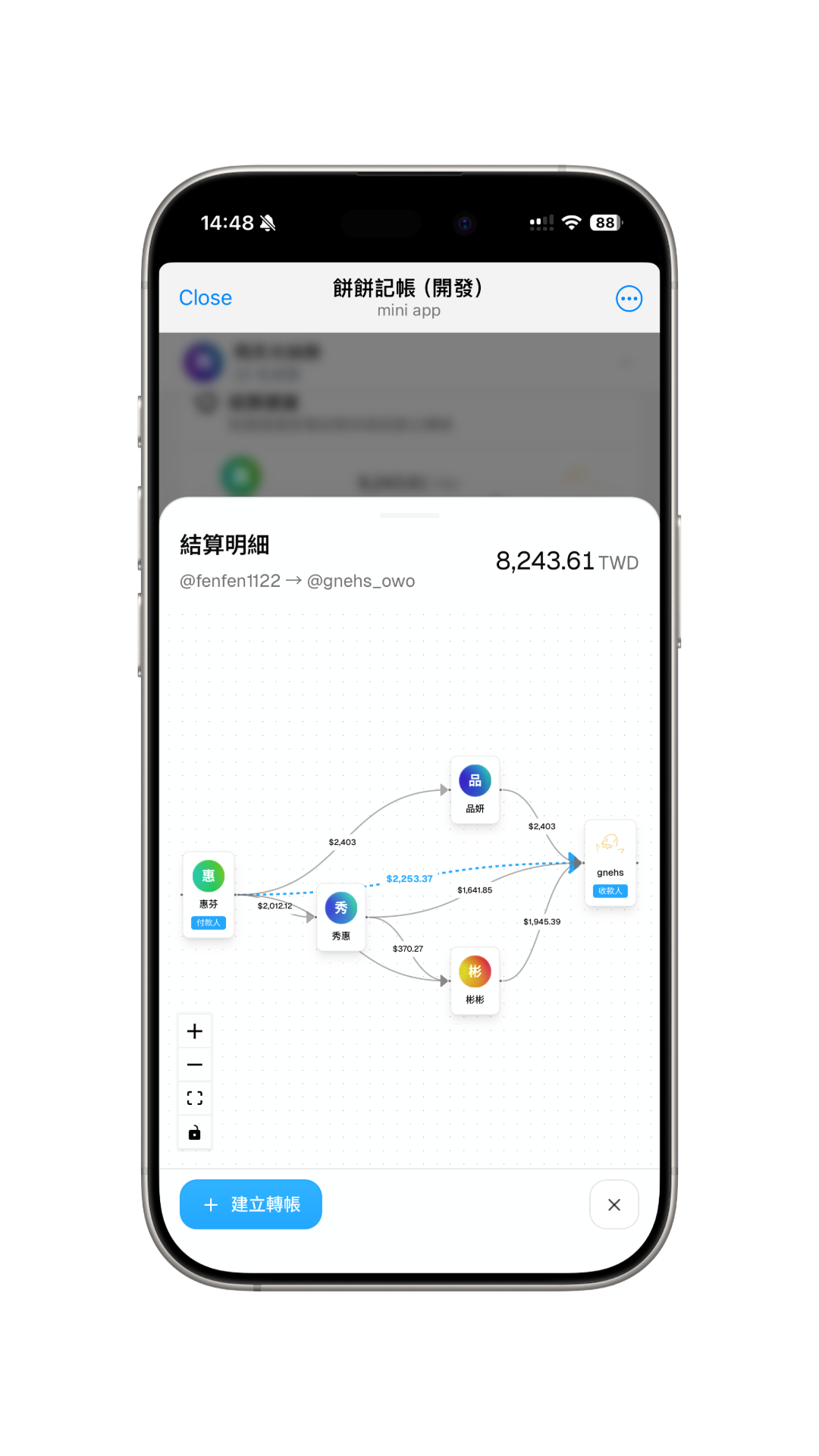
Click on any settlement suggestion path to display the debt flow chart, making it easy to understand the overall settlement situation. Use the "Create Transfer" button on the bottom left to quickly create a transfer transaction.