Getting Started
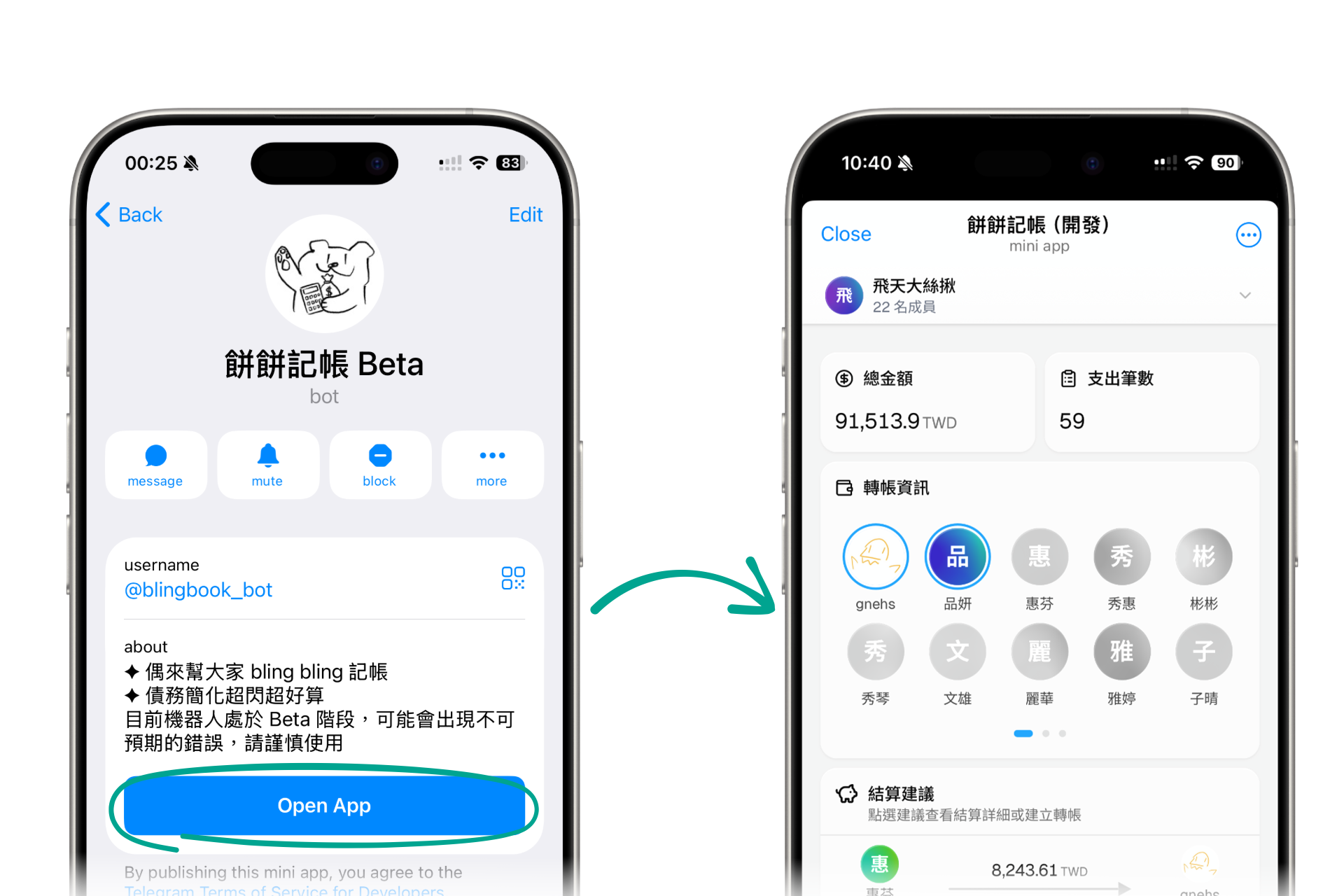
Open Mini App
- Click on the bot avatar in Telegram to open the bot profile page.
- Click the "Open App" button to enter the BlingBook Mini App.
Features
- More intuitive graphical interface
- View full details, charts, and personal debt overview
Interface Introduction
From top to bottom:
- Group Selector: Click to switch between different Telegram groups to view bills and expense records for that group.
- Content Area: Displays the content of the currently viewed tab, such as bill lists, report analysis, etc.
- Add Record Button: A floating button in the bottom right of the content area. Click to quickly add an expense record.
- Bottom Navigation Bar: Contains quick access to main feature tabs for easy switching.