
Home
Home
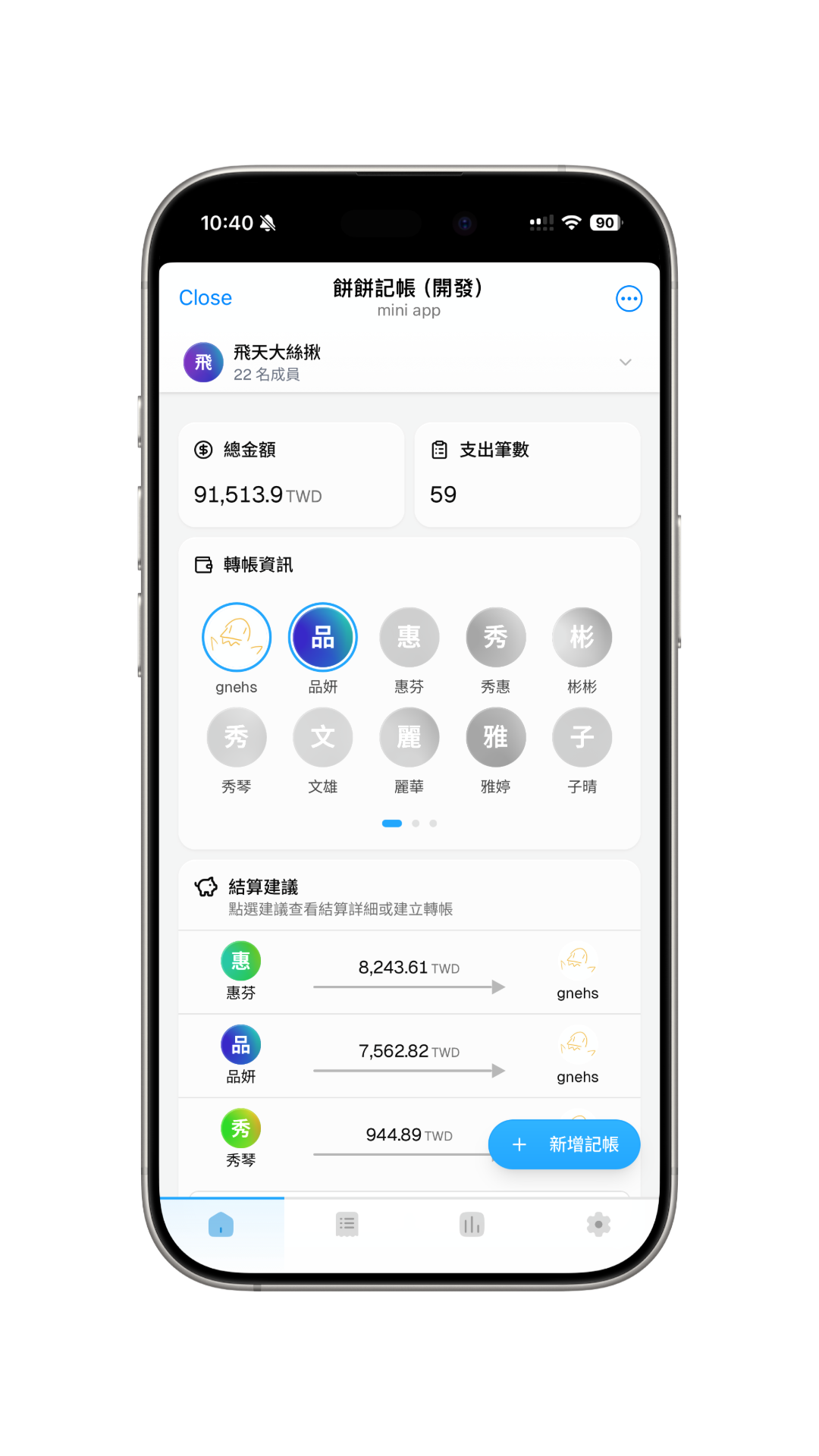
You can see the group's overall information on the home page, including statistics cards, transfer information, and settlement suggestions.
Statistics Cards
View information such as total amount and total number of entries.
Transfer Info
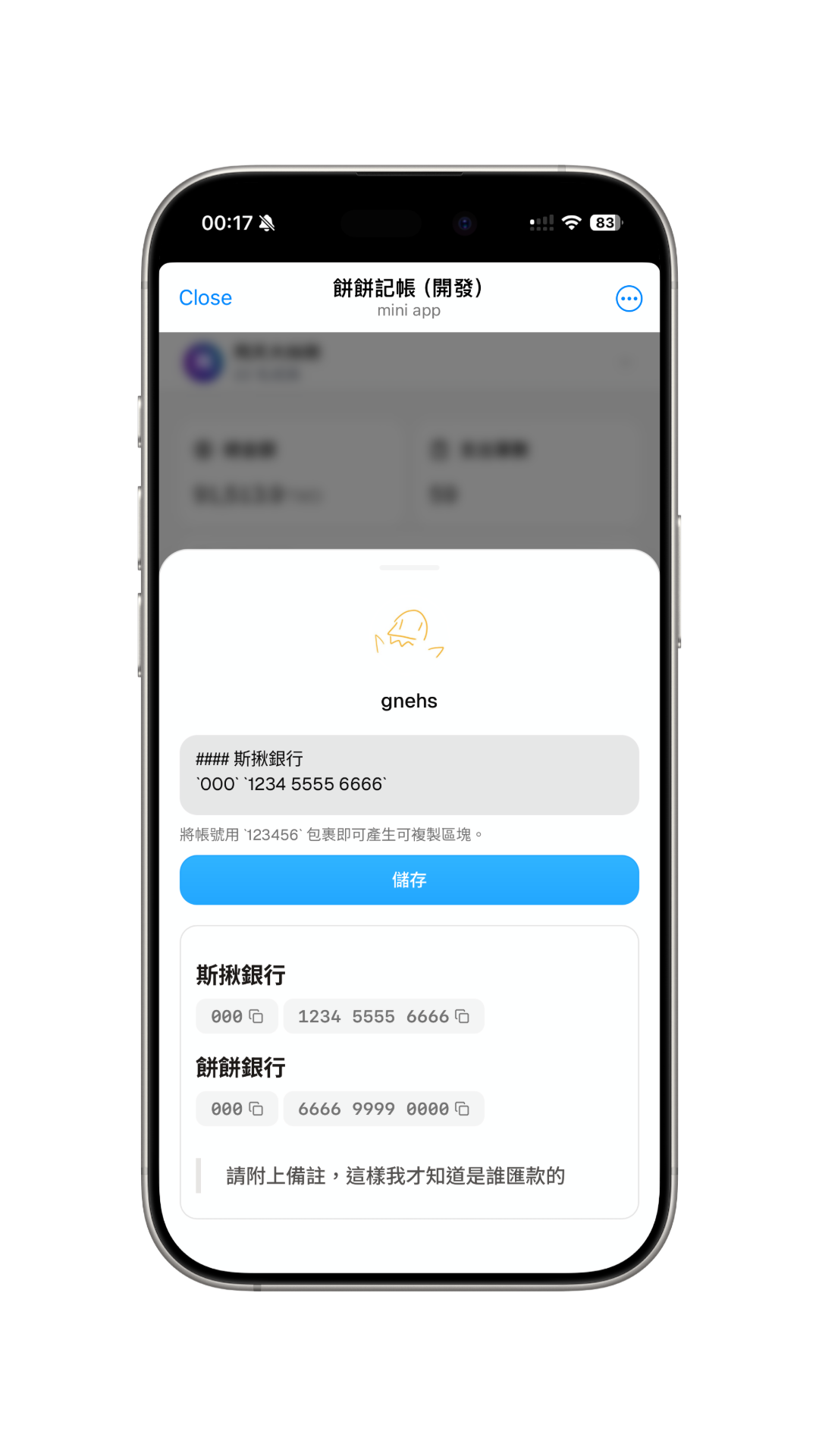
You can use this feature to save your transfer information for other members to see; you can also view others' transfer information.
- Click on your own avatar to view or edit your transfer information.
- Click on other members' avatars to view their transfer information.
Transfer information is only visible to group members, please use with confidence.
Settlement Suggestions
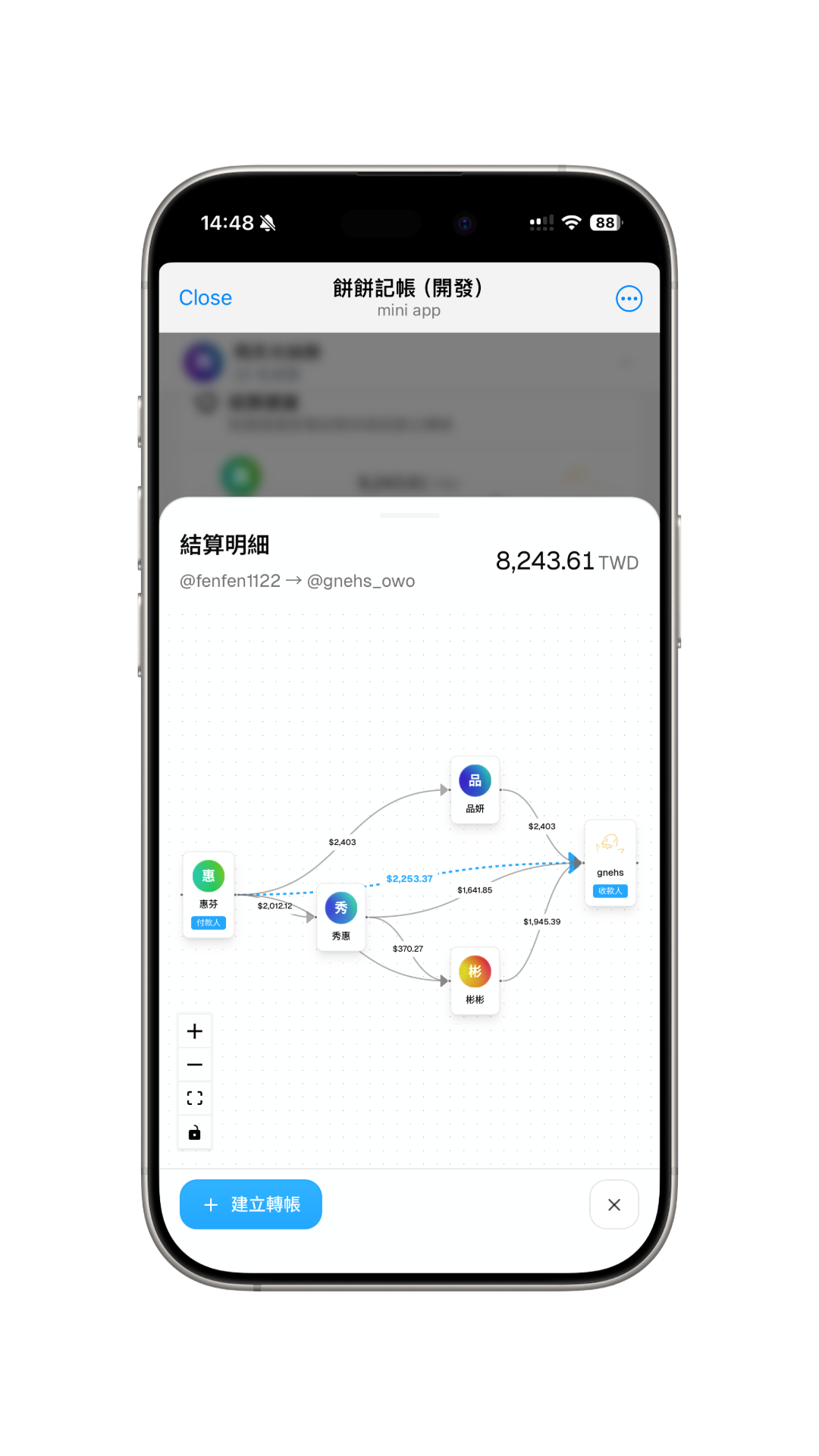
Click on any settlement suggestion path to display the debt flow chart, making it easy to understand the overall settlement situation. Use the "Create Transfer" button on the bottom left to quickly create a transfer transaction.