
Automatic Receipt Parsing
Receipt Recognition
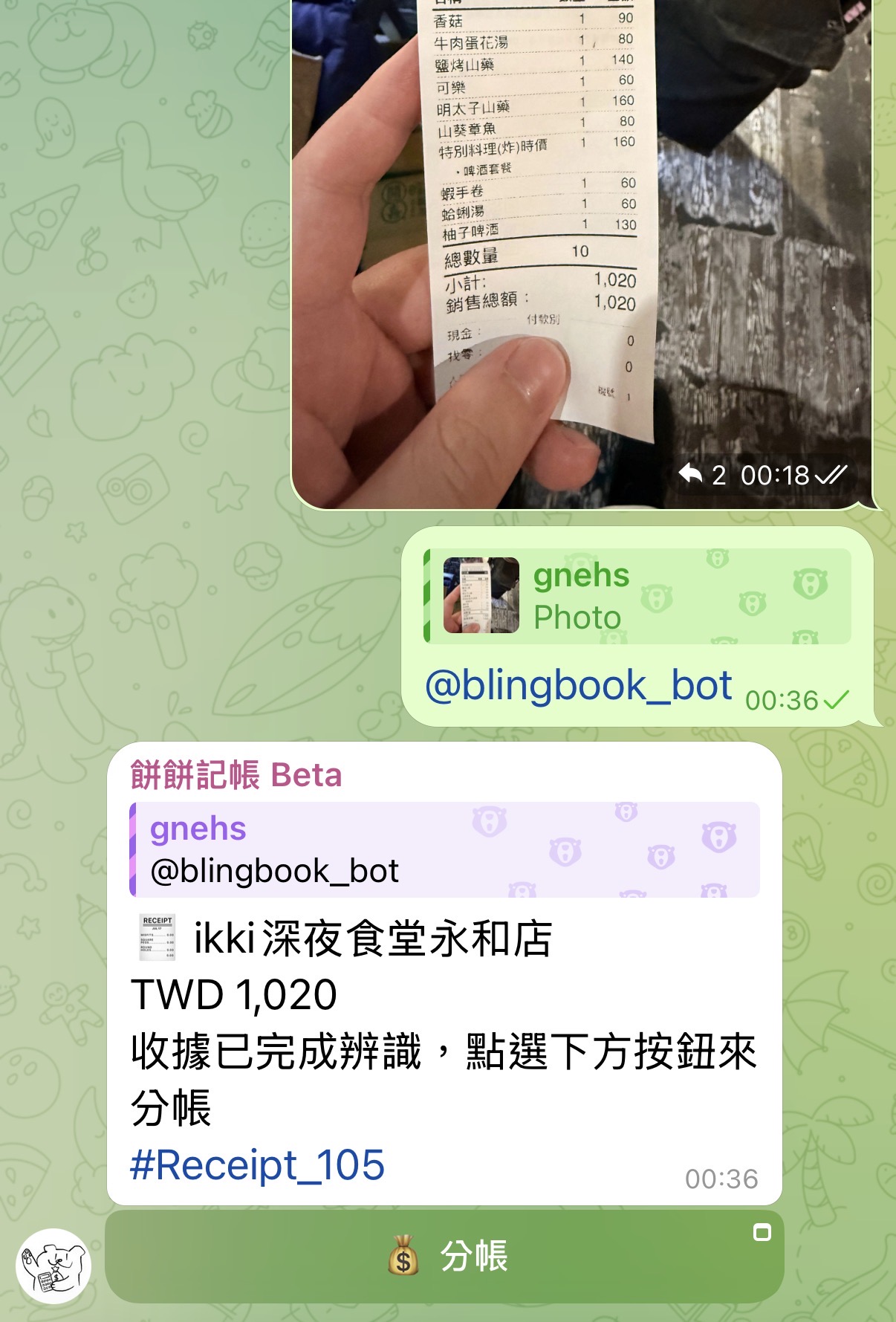
- Upload a receipt photo (screenshots or PDF-to-image also work).
- Click "Reply" to this image.
- Tag
@blingbook_botin the reply. If the image lacks amount or store name, you can add details in the reply message, like this:@blingbook_botThis is from PX Mart yesterday, total 1234
The bot will automatically recognize the amount and details, allowing you to quickly split costs based on items.
Splitting
After recognition is complete, the bot will reply with a message. Click the "Split" button to enter the splitting page and distribute costs by item.
- Title: System automatically generates a title based on the bill and your prompt.
- Amount and Currency: System automatically detects amount and currency.
- Category: System automatically recommends a category based on consumption content.
- Note: System generates notes from receipt tags.
- Payer: Select the member who actually paid for the receipt.
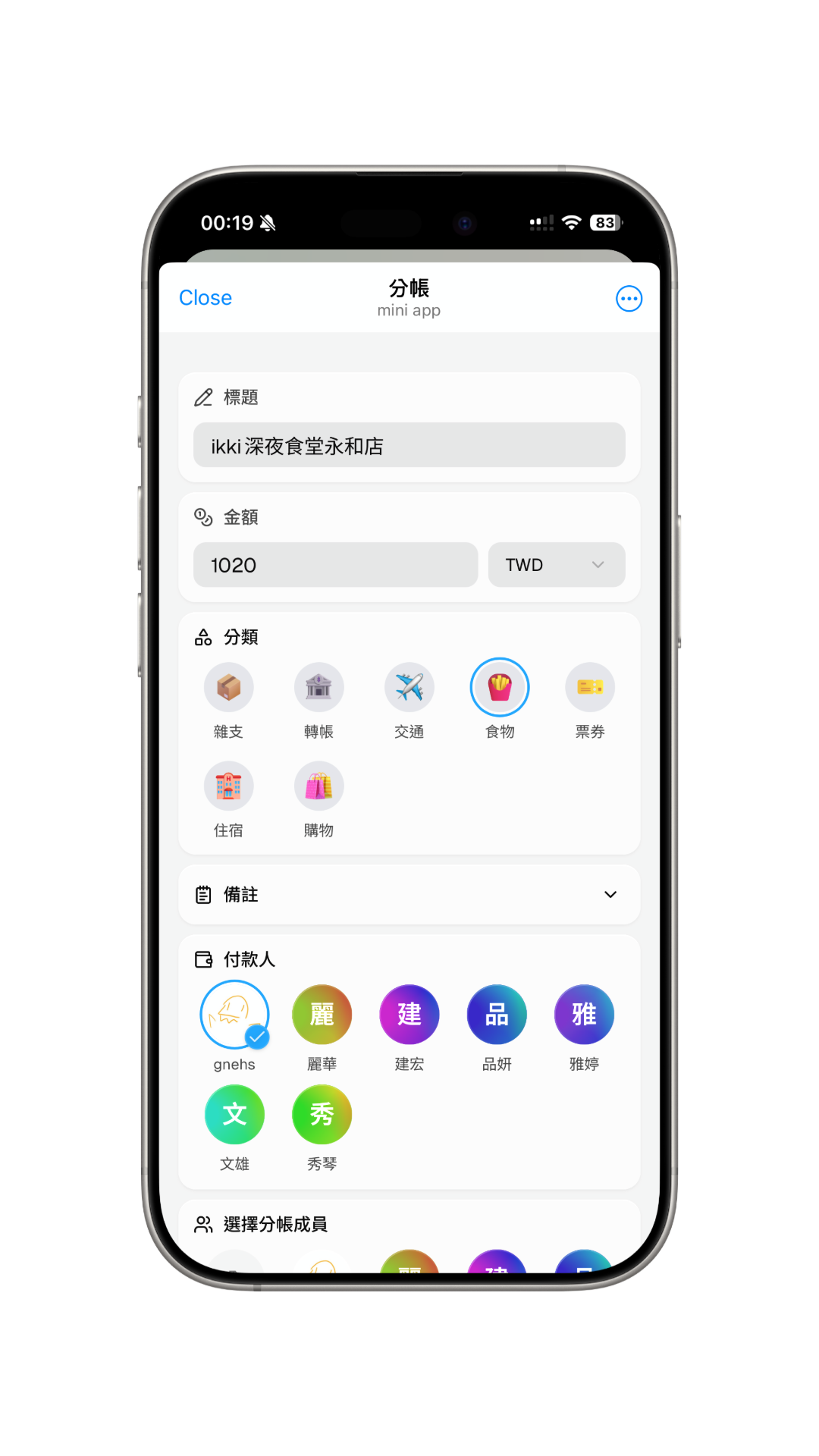
Select Split Members
You can filter members to participate in the split on the splitting page, facilitating subsequent item distribution.
Select Members for Each Item
In the item list, select members to split each item. The system will automatically divide the amount equally among the selected members.
Item Splitting
If a single item contains multiple goods, click the "Split" button at the bottom right of the detail to configure. The system offers two splitting methods: by quantity or by ratio. Users can choose the appropriate method based on actual needs.
Complete Splitting
After verifying everything is correct, click the "Submit" button at the bottom to complete the split.
For FAQs about AI features, please see the FAQ page.